The TaurusGUI framework
TaurusGUI is not a GUI in itself but a framework for building Taurus graphical user interfaces efficiently. Not all Taurus-based applications are necessarily TaurusGUI-based.
A specific TaurusGUI-based application is defined in a configuration
directory, which is read by TaurusGui to construct the application.
Different TaurusGUI-based applications may look very different, but they share
a common structure and a number of common features.
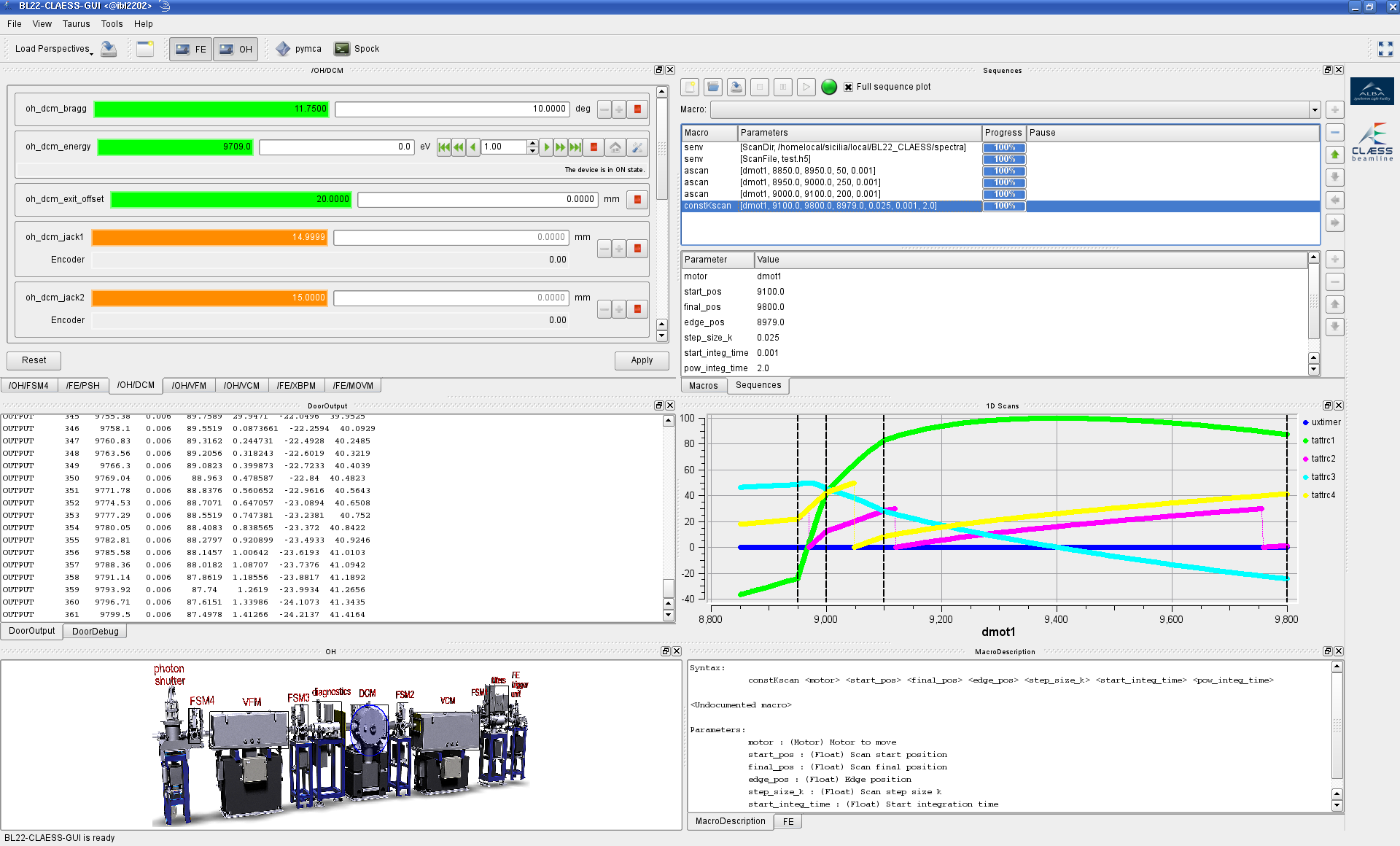
An example of a beamline GUI based on TaurusGUI.
Application structure
TaurusGUI-based applications consist of a main window containing a number of panels.
Each panel contains a widget, such as a form, a plot, or a synoptic, and is largely independent of the other panels. Panels can be moved, resized, hidden, shown, tabified, or left floating. New panels can also be created while the application is running.
This flexibility allows users to adapt an application to different tasks. A particular arrangement and other user-modifiable choices can be stored as a perspective and restored later. See Save and load perspectives for the corresponding usage instructions.
Another characteristic element of TaurusGUI-based applications is the Applets area on the right side of the main window. This area is typically populated with small widgets providing quick access to relevant information or controls. It may also contain institute and application logos.
Other common components, although not necessarily present in every application, include synoptic panels, macro execution panels, and a help browser.
Perspectives
Different tasks often require different application layouts and different control widgets to be available. TaurusGUI applications can therefore provide predefined perspectives: saved configurations that can be loaded at any time to restore a panel arrangement suited to a particular task.
Users can also rearrange panels and save their own perspectives. Perspectives can be exported and imported, which makes it possible to back them up or share them between users or computers.
Synoptic panels
A special type of panel present in some TaurusGUI-based applications is a synoptic. Synoptic panels are typically used to provide a visual representation of the hardware controlled by the GUI. Some elements or areas of the synoptic may be active and selectable with the mouse.
A default feature of TaurusGUI is that an active synoptic element whose name matches an existing panel can cause that panel to be shown. Conversely, when the panel is selected, the corresponding element in the synoptic is highlighted. This makes a synoptic useful as a visual index for applications with many panels.
External applications
TaurusGUI applications may provide launchers for external applications. These are independent programs already installed on the system; TaurusGUI only provides a convenient way to launch them from the application.
Launchers may be predefined by the application, and users may create additional ones. Like custom panels, user-created launchers can be made persistent for future sessions.
Sardana integration
Many TaurusGUI-based applications are used together with a Sardana Pool and MacroServer to execute macros such as scans. Such applications may provide panels for macro execution, sequences, macro documentation, Door output and debug messages, experiment configuration, and Sardana-aware editing.
Depending on the experiment configuration, additional temporary panels may be created dynamically. For example, scalar values produced during a scan may be shown in a trend.
Some applications also use information from the Pool to create TaurusForm panels dynamically for the instruments configured in the control system. Since these panels are created when the application starts, their number and contents can reflect changes in the Pool configuration.
For examples of TaurusGUI-based applications, see Taurus applications.