Select models with TaurusModelChooser
The TaurusModelChooser is a tree-based widget used by Taurus applications
to let users select one or more device or attribute models from the control system.
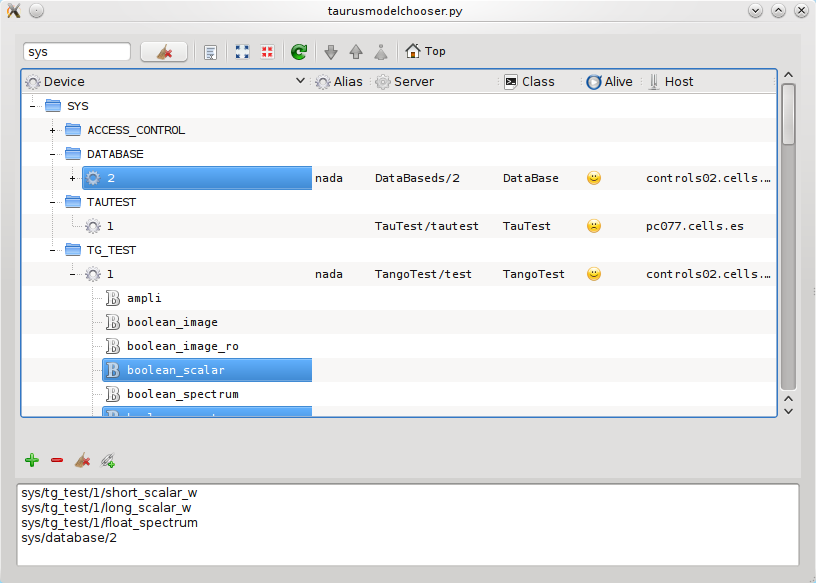
To select the attributes using TaurusModelChooser, you typically do the
following:
Browse the tree to locate the devices and/or attributes you are interested in.
Now select one or more device/attributes (tip: you can use the CTRL key for multiple selection)
Add them to the Chosen models list (the bottom part of the widget) by using the Add button (the “+” icon).
Repeat previous steps if you want to add other models or use the Remove button (the “-” icon) to remove models from the Chosen models list.
Click the Update Models button to apply the changes when satisfied.
Important: The tree can be quite dense. You can filter it by typing part of the device name in the Filter box (#4 in the figure).