Browse Taurus configurations
Taurus provides a user interface for browsing TaurusMainWindow settings
files (.ini files). It allows advanced users to inspect and edit the
perspectives stored in a Taurus GUI configuration. The configuration tree is
organized in branches, with each perspective at the root of a branch.
Launch the configuration browser
Browse the configuration of a TaurusMainWindow-based application, such as
a TaurusGUI application, with:
taurus config [<configuration.ini>]
Run the following command for more details:
taurus config --help
The figure below shows a configuration containing three perspectives:
LAST, second_perspective, and third_perspective. LAST is a
special perspective stored automatically when the GUI closes; it reflects the
state of the GUI at that time. The other perspectives were saved explicitly
during the TaurusGUI session.
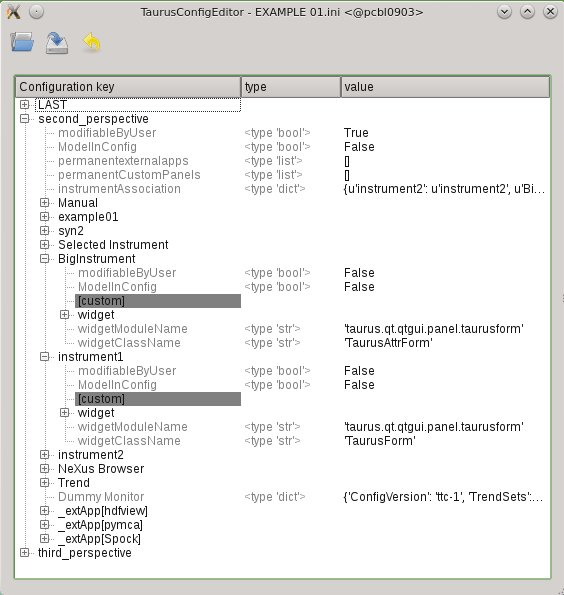
Taurus configuration browser with a perspective unfolded to show the panel entries