Build a Taurus widget with Qt Designer
Taurus widgets behave like standard Qt widgets and can be used from Qt Designer. Taurus provides a convenience command that starts Qt Designer with Taurus widgets available in its widget catalog.
Launch Taurus Qt Designer
Run:
taurus designer
Use taurus designer --help to see the available command-line options.
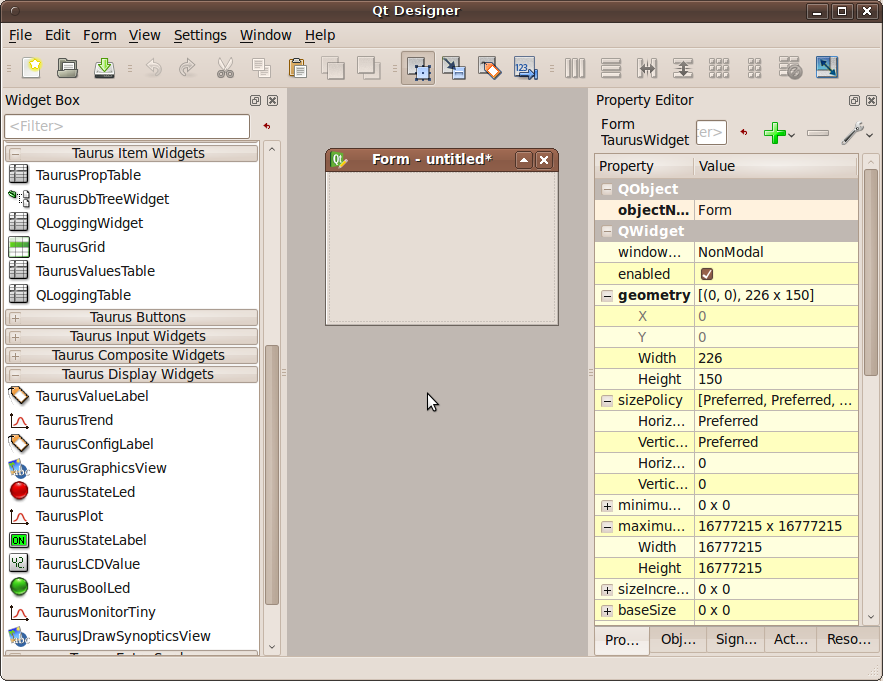
Qt Designer with Taurus widgets available.
Design the widget
Create the widget as you would with standard Qt Designer, combining Qt and Taurus widgets as required.
TaurusGUI can be used to define a complete GUI, but a common workflow is to
use Qt Designer for individual widgets and then insert those widgets as panels
inside a taurus.qt.qtgui.taurusgui.TaurusGui application.
For the TaurusGUI workflow, see Build a GUI with the TaurusGUI framework.
Use the generated .ui file
Qt Designer saves the interface as a .ui file containing an XML
description of the widget.
Load this file from a Taurus widget with the
taurus.qt.qtgui.util.UILoadable() decorator.
If Taurus widgets do not appear in Qt Designer in a Conda environment, see Troubleshoot Taurus widgets in Qt Designer.